
Inline Link
Use the inline link component when your link is in a paragraph or sentence. Link should navigate you to a new page or to further information.
Anatomy

| Name | Description | Required |
|---|---|---|
| Text | Concise and meaningful to quickly allow the user to understand where the link is navigating. | Yes |
| Underline | Visual Signifier for link. | Yes |
States
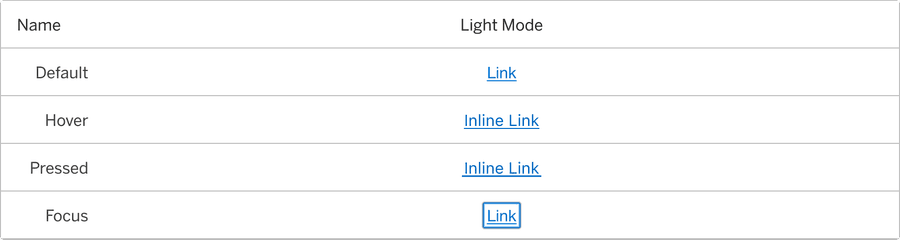
| State | Description |
|---|---|
| Default | Underline to signify navigation. |
| Hover | Underline and chevron animation to indicate link is hovered and signify navigation. |
| Pressed | Heavy underline and animation to indicate link is pressed and signify navigation. |
| Focus | A focus outline appears around visual element to help users identify current selected component. This is used when a user navigates using keyboard controls or uses a cursor. |
Questions?
Connect with the DLS Team on Slack or by email.
Resources
Check out additional resources.