Graphics
American Express graphics serve to tell a clear and straightforward story. Graphics and imagery support headlines and text to enhance our customer’s understanding of marketing or servicing experiences. The images we use feel fresh, authentic, and natural. Graphic assets are used deliberately to maintain our brand and values.
Imagery Importance
Great imagery strengthens and differentiates our brand by establishing a connection between our brand values and the values of our customers.
Look for imagery that fulfills these requirements:
- Does it make the customer connect with our brand values?
- Does it show the benefits of our product?
- Does it reflect the standards of American Express?
Use of Images
Make images more accessible by appropriately using an HTML tag or CSS property based on the context of the content and situation.
Use CSS background-image if:
- The image is not part of the content.
- You intend to have people print your page and you do not want the image to be included by default.
- You need to use CSS sprites.
- You need only a portion of the image, as with CSS sprites.
Use <img> if:
- Customers will likely print the page and the image should be included by default.
- The image has an important semantic meaning, such as a warning icon. Make sure to accompany the image with alt text for accessibility.
- Customers will likely use secondary user-agents, and the image provides context.
When choosing images please see Photography Principles in the Amex Brand Box and approved images for download.
Example
Dining
Entertainment
Shopping
Travel
Layout and Settings
Images should reflect the diversity of American Express and our customers. Opt for natural lighting and authentic settings. Pick a candid scene over a posed one. As an unexpected delight for customers, add a subtle zoom animation to indicate an action.
After you’ve chosen your images, be mindful of how you present them. Be consistent with your layouts, especially when using multiple images as calls-to-action. Find out more about our layout patterns on our grid and flexbox pages.
Card Art
Visual Unification
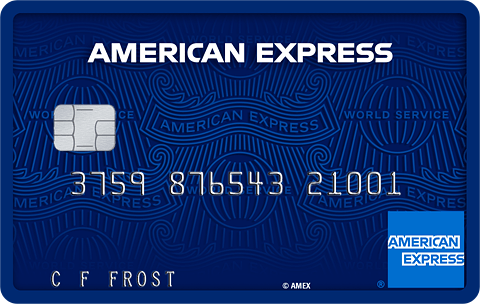
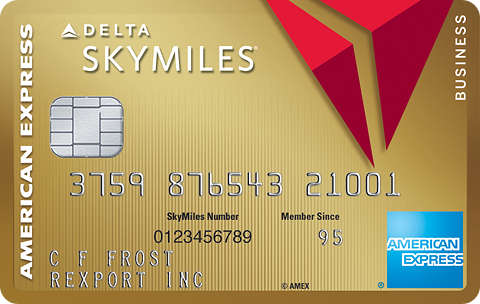
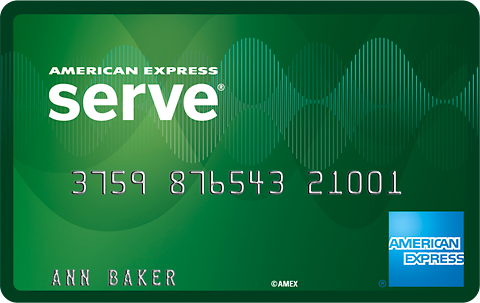
American Express Cards differentiate our customers, our products and our brand. Because our Cards are iconic, we use them to identify the American Express brand on some advertising and below-the-line marketing materials specific to Card products.
Digital Specification
These standardized Card art sizes ensure maximum portability and consistency across all areas of the site. While the brand site listed below provides a range of resolutions for each size, please use the specified resolutions below which take into account the sizing of other elements and the components within the DLS.
When using Card art for retina displays, double the resolution (@2x). For example, an X-Small image should be delivered at 140x88px.
For more information on using and downloading Card art, visit the American Express brand website.
Specs
Min Size = 70x44px
Max Size = 315x200px
X-SMALL
Size = 70x44px
Use Case Example = Card Selector
SMALL
Size = 114x72px
Use Case Example = Marketing
MEDIUM
Size = 148x94px
Use Case Example = Account Header Card
LARGE
Size = 232x147px
Use Case Example = Acquisition
X-LARGE
Size = 315x200px
Use Case Example = Card Identification (CID)
Example
CoBrand
Consumer
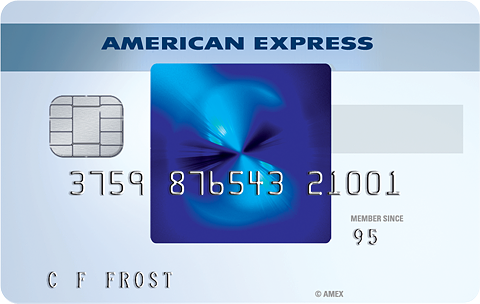
Corporate

Generic
Prepaid
Small Business
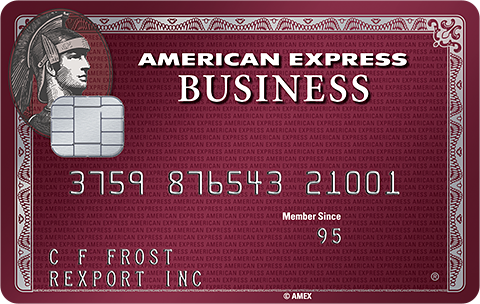
<div id="dls-example-elements-image-cards" class="card-art">
    <div class="row">
        <div class="col-lg-4 col-md-6 pad">
            <p class="dls-gray-04 margin-b text-align-center"><strong>CoBrand</strong></p>
            <div class="dls-card-lg dls-card-tilt">
                <div class="dls-card-tilt-left"></div>
                <div class="dls-card-tilt-right"></div>
                <div class="dls-card-tilt-container">
                  <img src="https://www.aexp-static.com/cdaas/one/statics/@americanexpress/static-assets/2.28.0/package/dist/img/cards/delta_gold_bus_chip_480x304.png" />
                </div>
            </div>
        </div>
        <div class="col-lg-4 col-md-6 pad">
            <p class="dls-gray-04 margin-b text-align-center"><strong>Consumer</strong></p>
            <div class="dls-card-lg dls-card-tilt">
                <div class="dls-card-tilt-left"></div>
                <div class="dls-card-tilt-right"></div>
                <div class="dls-card-tilt-container">
                  <img src="https://www.aexp-static.com/cdaas/one/statics/@americanexpress/static-assets/2.28.0/package/dist/img/cards/blue_chip_480x304.png" />
                </div>
            </div>
        </div>
        <div class="col-lg-4 col-md-6 pad">
            <p class="dls-gray-04 margin-b text-align-center"><strong>Corporate</strong></p>
            <div class="dls-card-lg dls-card-tilt">
                <div class="dls-card-tilt-left"></div>
                <div class="dls-card-tilt-right"></div>
                <div class="dls-card-tilt-container">
                  <img src="https://www.aexp-static.com/cdaas/one/statics/@americanexpress/static-assets/2.28.0/package/dist/img/cards/corp_plat_chip_480x304.png" />
                </div>
            </div>
        </div>
        <div class="col-lg-4 col-md-6 pad">
            <p class="dls-gray-04 margin-b text-align-center"><strong>Generic</strong></p>
            <div class="dls-card-lg dls-card-tilt">
                <div class="dls-card-tilt-left"></div>
                <div class="dls-card-tilt-right"></div>
                <div class="dls-card-tilt-container">
                  <img src="https://www.aexp-static.com/cdaas/one/statics/@americanexpress/static-assets/2.28.0/package/dist/img/cards/amex_generic_chip_480x304.png" />
                </div>
            </div>
        </div>
        <div class="col-lg-4 col-md-6 pad">
            <p class="dls-gray-04 margin-b text-align-center"><strong>Prepaid</strong></p>
            <div class="dls-card-lg dls-card-tilt">
                <div class="dls-card-tilt-left"></div>
                <div class="dls-card-tilt-right"></div>
                <div class="dls-card-tilt-container">
                  <img src="https://www.aexp-static.com/cdaas/one/statics/@americanexpress/static-assets/2.28.0/package/dist/img/cards/serve_free_reloads_perm_480x304.png" />
                </div>
            </div>
        </div>
        <div class="col-lg-4 col-md-6 pad">
            <p class="dls-gray-04 margin-b text-align-center"><strong>Small Business</strong></p>
            <div class="dls-card-lg dls-card-tilt">
                <div class="dls-card-tilt-left"></div>
                <div class="dls-card-tilt-right"></div>
                <div class="dls-card-tilt-container">
                  <img src="https://www.aexp-static.com/cdaas/one/statics/@americanexpress/static-assets/2.28.0/package/dist/img/cards/sbs_plum_chip_480x304.png" />
                </div>
            </div>
        </div>
    </div>

</div>
Offers and Ads
Supporting Graphics
The graphics we use for marketing and offers come in JPG, PNG and GIF formats. They’re used inline with Offers & Benefits, and with Partner ads and marketing material. Make sure that these images are dynamic and context-relevant.
Offers & Benefits
Usage
Amex Offers is a program that lets customers save with offers on shopping, dining, and more. These offers are found at the bottom of the Account Summary page in the Amex Offers & Benefits section.
Specs
Width = 110px
Height = 50px
Padding Top, Bottom, Left, Right = 10px
Format = JPG
Example

<div class="imagephoto-offer">
    <img src="../../assets/img/visuals/elements/image/offer-image-1.jpg" alt="American Express Travel">
</div>
Our Partner Ads
Usage
American Express carefully selects merchant partners to show relevant ads when the customer browses our website. These ads direct them to the partner’s site in a new window. The look and feel is based on our brand and partner guidelines.
World Service Pattern
Use the World Service pattern to add richness, warmth, or visual interest to American Express communications. Add it to create texture, for example, as the background of a hero or a banner. It can be overlapped by type, photography, Card art, and other graphic elements, as long as you maintain optimal legibility. Large, prominent font works best over a pattern.
We’ve provided 3 recommended colored tile patterns to choose from: Bright Blue, Deep Blue, and Gray. Gray works best for larger design treatments on a page.
Visit the Brand guidelines for more information on using the World Service pattern.
Color Variations
Specs - Color Variations
Class Name = .bg-repeat

Bright Blue Pattern

Deep Blue Pattern

Deep Blue 90% Pattern

Gray Pattern
Flourish
The Flourish, composed of the World Service pattern’s scroll, leaf and ribbon, works as a subtle design treatment to create interest and a feeling of fluidity and movement. Use as a background to a hero or banner, or to accent photography.
Keep in mind the following guidelines:
- On a solid background, place the Flourish in the header or at the bottom of a layout. Make sure it doesn’t deter from the content on the page.
- As this is a strong representation of the American Express brand, do not use cobrand colors for the Flourish and ONLY use Bright Blue, Deep Blue, or White. Do not use custom colors or opacity.
- Additionally, the Flourish must always be cropped asymmetrically.
The Flourish can be added as an SVG and the colors can be changed using the classes below. Visit the Brand guidelines for more information on how to properly crop it and use it with photography.
Specs
Class Names for SVG Colors = .dls-bright-blue-filter, .dls-deep-blue-filter, .dls-white-filter
Example - White Background
Over a solid white background, use Bright Blue or Deep Blue.
<section class="border">
  <div class="hero dls-bright-blue-filter" style="background-image:url('https://www.aexp-static.com/cdaas/one/statics/@americanexpress/static-assets/2.28.0/package/dist/img/brand/flourish.svg'); background-repeat:no-repeat; background-position:90% -10%;"></div>
  <h3 class="heading-7-g text-align-left pad-responsive-extra fluid position-absolute-tl">Consumer Research Patterns</h3>
</section>
Example - Solid Blue Background
Over a solid blue background, use White or mix things up with a tone-on-tone option like Bright Blue over Deep Blue.
<section class="border dls-deep-blue-bg">
  <div class="hero dls-bright-blue-filter" style="background-image:url('https://www.aexp-static.com/cdaas/one/statics/@americanexpress/static-assets/2.28.0/package/dist/img/brand/flourish.svg'); background-repeat:no-repeat; background-position:90% -10%;"></div>
  <h3 class="text-align-left pad-responsive-extra dls-white position-absolute-tl">
    <span class="heading-7-g hidden-sm-down">Whatever Size Your Business, American Express Has Your Back.</span>
    <span class="heading-6-g hidden-md-up">Whatever Size Your Business, American Express Has Your Back.</span>
  </h3>
</section>
Taglines
Usage
When using taglines on top of imagery, please ensure legibility.
Visit Brand guidelines for more information.
Specs
Minumum Height = 20px
Colors = Bright Blue, Deep Blue, White
Format = SVG
Example - Live Life

Bright Blue

Deep Blue

White
<div class="row">
  <div class="col-md-6 margin-2-b">
    <div class="border">
      <div class="pad-4">
        <img src="https://www.aexp-static.com/cdaas/one/statics/@americanexpress/static-assets/2.28.0/package/dist/img/taglines/tagline-life-brightblue.svg" alt="tagline-life-brightblue">
      </div>
      <p class="body-2 pad border-t">
        Bright Blue
      </p>
    </div>
  </div>
  <div class="col-md-6">
    <div class="border">
      <div class="pad-4">
        <img src="https://www.aexp-static.com/cdaas/one/statics/@americanexpress/static-assets/2.28.0/package/dist/img/taglines/tagline-life-deepblue.svg" alt="tagline-life-deepblue">
      </div>
      <p class="body-2 pad border-t">
        Deep Blue
      </p>
    </div>
  </div>
  <div class="col-md-6">
    <div class="border">
      <div class="dls-deep-blue-bg pad-4">
        <img src="https://www.aexp-static.com/cdaas/one/statics/@americanexpress/static-assets/2.28.0/package/dist/img/taglines/tagline-life-white.svg" alt="tagline-life-white">
      </div>
      <p class="body-2 pad border-t">
        White
      </p>
    </div>
  </div>
</div>
Example - Business

Bright Blue

Deep Blue

White
<div class="row">
  <div class="col-md-6 margin-2-b">
    <div class="border">
      <div class="pad-4">
        <img src="https://www.aexp-static.com/cdaas/one/statics/@americanexpress/static-assets/2.28.0/package/dist/img/taglines/tagline-business-brightblue.svg" alt="tagline-buiness-brightblue">
      </div>
      <p class="body-2 pad border-t">
        Bright Blue
      </p>
    </div>
  </div>
  <div class="col-md-6">
    <div class="border">
      <div class="pad-4">
        <img src="https://www.aexp-static.com/cdaas/one/statics/@americanexpress/static-assets/2.28.0/package/dist/img/taglines/tagline-business-deepblue.svg" alt="tagline-buiness-deepblue">
      </div>
      <p class="body-2 pad border-t">
        Deep Blue
      </p>
    </div>
  </div>
  <div class="col-md-6">
    <div class="border">
      <div class="dls-deep-blue-bg pad-4">
        <img src="https://www.aexp-static.com/cdaas/one/statics/@americanexpress/static-assets/2.28.0/package/dist/img/taglines/tagline-business-white.svg" alt="tagline-buiness-white">
      </div>
      <p class="body-2 pad border-t">
        White
      </p>
    </div>
  </div>
</div>
Ribbons
Usage
Visit Brand guidelines for more information on how ribbons can be used with imagery.
Specs
Minumum Height = 26px
Colors = Bright Blue, Deep Blue, White, Gray 02
Format = SVG
Example - American Express

Bright Blue

Deep Blue

White

Gray 02
<div class="row stack-a">
  <div class="col-md-4">
    <div class="border">
      <div class="pad-4">
        <img src="https://www.aexp-static.com/cdaas/one/statics/@americanexpress/static-assets/2.28.0/package/dist/img/brand/ribbon-american_express-brightblue.svg" alt="ribbon-american_express-brightblue">
      </div>
      <p class="body-2 pad border-t">
        Bright Blue
      </p>
    </div>
  </div>
  <div class="col-md-4">
    <div class="border">
      <div class="pad-4">
        <img src="https://www.aexp-static.com/cdaas/one/statics/@americanexpress/static-assets/2.28.0/package/dist/img/brand/ribbon-american_express-deepblue.svg" alt="ribbon-american_express-deepblue">
      </div>
      <p class="body-2 pad border-t">
        Deep Blue
      </p>
    </div>
  </div>
  <div class="col-md-4">
    <div class="border">
      <div class="dls-deep-blue-bg pad-4">
        <img src="https://www.aexp-static.com/cdaas/one/statics/@americanexpress/static-assets/2.28.0/package/dist/img/brand/ribbon-american_express-white.svg" alt="ribbon-american_express-white">
      </div>
      <p class="body-2 pad border-t">
        White
      </p>
    </div>
  </div>
  <div class="col-md-4">
    <div class="border">
      <div class="dls-white-bg pad-4">
        <img src="https://www.aexp-static.com/cdaas/one/statics/@americanexpress/static-assets/2.28.0/package/dist/img/brand/ribbon-american_express-gray-02.svg" alt="ribbon-american_express-gray-02">
      </div>
      <p class="body-2 pad border-t">
        Gray 02
      </p>
    </div>
  </div>
</div>
Example - Member Since

Bright Blue

Deep Blue

White
<div class="row">
  <div class="col-md-4">
    <div class="border">
      <div class="pad-4">
        <img src="https://www.aexp-static.com/cdaas/one/statics/@americanexpress/static-assets/2.28.0/package/dist/img/brand/ribbon-member_since-brightblue.svg" alt="ribbon-member_since-brightblue">
      </div>
      <p class="body-2 pad border-t">
        Bright Blue
      </p>
    </div>
  </div>
  <div class="col-md-4">
    <div class="border">
      <div class="pad-4">
        <img src="https://www.aexp-static.com/cdaas/one/statics/@americanexpress/static-assets/2.28.0/package/dist/img/brand/ribbon-member_since-deepblue.svg" alt="ribbon-member_since-deepblue">
      </div>
      <p class="body-2 pad border-t">
        Deep Blue
      </p>
    </div>
  </div>
  <div class="col-md-4">
    <div class="border">
      <div class="dls-deep-blue-bg pad-4">
        <img src="https://www.aexp-static.com/cdaas/one/statics/@americanexpress/static-assets/2.28.0/package/dist/img/brand/ribbon-member_since-white.svg" alt="ribbon-member_since-white">
      </div>
      <p class="body-2 pad border-t">
        White
      </p>
    </div>
  </div>
</div>
World Service Globe
Usage
Visit Brand guidelines for more information.
Specs
Minumum Height = 58px
Colors = Bright Blue, Deep Blue, White
Format = SVG
Example

Bright Blue

Deep Blue

White
<div class="row">
  <div class="col-md-3">
    <div class="border">
      <div class="pad-4">
        <img src="https://www.aexp-static.com/cdaas/one/statics/@americanexpress/static-assets/2.28.0/package/dist/img/brand/globe-world_service-brightblue.svg" alt="globe-world_service-brightblue">
      </div>
      <p class="body-2 pad border-t">
        Bright Blue
      </p>
    </div>
  </div>
  <div class="col-md-3">
    <div class="border">
      <div class="pad-4">
        <img src="https://www.aexp-static.com/cdaas/one/statics/@americanexpress/static-assets/2.28.0/package/dist/img/brand/globe-world_service-deepblue.svg" alt="globe-world_service-deepblue">
      </div>
      <p class="body-2 pad border-t">
        Deep Blue
      </p>
    </div>
  </div>
  <div class="col-md-3">
    <div class="border">
      <div class="dls-deep-blue-bg pad-4">
        <img src="https://www.aexp-static.com/cdaas/one/statics/@americanexpress/static-assets/2.28.0/package/dist/img/brand/globe-world_service-white.svg" alt="globe-world_service-white">
      </div>
      <p class="body-2 pad border-t">
        White
      </p>
    </div>
  </div>
</div>
The Centurion
Usage
The Centurion is an icon of American Express and should be used with intention.
Visit Brand guidelines for more information.
Specs
Minumum Height = 110px
Colors = Bright Blue, Deep Blue, Gray 03, Gray 05,
Format = SVG
Example - Linear

Bright Blue

Deep Blue

Gray 03

Gray 05
<div class="row stack-a">
  <div class="col-md-4 center">
    <div class="border">
      <div class="pad-4 flex flex-justify-center">
        <img src="https://www.aexp-static.com/cdaas/one/statics/@americanexpress/static-assets/2.28.0/package/dist/img/brand/centurion-linear-brightblue.svg" alt="centurion-linear-brightblue">
      </div>
      <p class="body-2 pad border-t">
        Bright Blue
      </p>
    </div>
  </div>
  <div class="col-md-4">
    <div class="border">
      <div class="pad-4 flex flex-justify-center">
        <img src="https://www.aexp-static.com/cdaas/one/statics/@americanexpress/static-assets/2.28.0/package/dist/img/brand/centurion-linear-deepblue.svg" alt="centurion-linear-deepblue">
      </div>
      <p class="body-2 pad border-t">
        Deep Blue
      </p>
    </div>
  </div>
  <div class="col-md-4">
    <div class="border">
      <div class="dls-gray-02-bg pad-4 flex flex-justify-center">
        <img src="https://www.aexp-static.com/cdaas/one/statics/@americanexpress/static-assets/2.28.0/package/dist/img/brand/centurion-linear-gray.svg" alt="centurion-linear-gray">
      </div>
      <p class="body-2 pad border-t">
        Gray 03
      </p>
    </div>
  </div>
  <div class="col-md-4">
    <div class="border">
      <div class="dls-gray-02-bg pad-4 flex flex-justify-center">
        <img src="https://www.aexp-static.com/cdaas/one/statics/@americanexpress/static-assets/2.28.0/package/dist/img/brand/centurion-linear-gray-05.svg" alt="centurion-linear-gray">
      </div>
      <p class="body-2 pad border-t">
        Gray 05
      </p>
    </div>
  </div>
</div>
Example - Solid

Bright Blue

Deep Blue

Gray 03
<div class="row">
  <div class="col-md-4">
    <div class="border">
      <div class="pad-4 flex flex-justify-center">
        <img src="https://www.aexp-static.com/cdaas/one/statics/@americanexpress/static-assets/2.28.0/package/dist/img/brand/centurion-solid-brightblue.svg" alt="centurion-solid-brightblue">
      </div>
      <p class="body-2 pad border-t">
        Bright Blue
      </p>
    </div>
  </div>
  <div class="col-md-4">
    <div class="border">
      <div class="pad-4 flex flex-justify-center">
        <img src="https://www.aexp-static.com/cdaas/one/statics/@americanexpress/static-assets/2.28.0/package/dist/img/brand/centurion-solid-deepblue.svg" alt="centurion-solid-deepblue">
      </div>
      <p class="body-2 pad border-t">
        Deep Blue
      </p>
    </div>
  </div>
  <div class="col-md-4">
    <div class="border">
      <div class="dls-gray-02-bg pad-4 flex flex-justify-center">
        <img src="https://www.aexp-static.com/cdaas/one/statics/@americanexpress/static-assets/2.28.0/package/dist/img/brand/centurion-solid-gray.svg" alt="centurion-solid-gray">
      </div>
      <p class="body-2 pad border-t">
        Gray 03
      </p>
    </div>
  </div>
</div>
1850
Usage
The 1850 graphic celebrates the founding of American Express. It should only be used internally, unless a clear association to our company’s heritage is required.
Visit Brand guidelines for more information.
Specs
Minumum Height = 30px
Colors = Bright Blue, Deep Blue, White
Format = SVG
Example

Bright Blue

Deep Blue

White
<div class="row">
  <div class="col-md-3">
    <div class="border">
      <div class="pad-4">
        <img src="https://www.aexp-static.com/cdaas/one/statics/@americanexpress/static-assets/2.28.0/package/dist/img/brand/1850-brightblue.svg" alt="1850-brightblue">
      </div>
      <p class="body-2 pad border-t">
        Bright Blue
      </p>
    </div>
  </div>
  <div class="col-md-3">
    <div class="border">
      <div class="pad-4">
        <img src="https://www.aexp-static.com/cdaas/one/statics/@americanexpress/static-assets/2.28.0/package/dist/img/brand/1850-deepblue.svg" alt="1850-deepblue">
      </div>
      <p class="body-2 pad border-t">
        Deep Blue
      </p>
    </div>
  </div>
  <div class="col-md-3">
    <div class="border">
      <div class="dls-deep-blue-bg pad-4">
        <img src="https://www.aexp-static.com/cdaas/one/statics/@americanexpress/static-assets/2.28.0/package/dist/img/brand/1850-white.svg" alt="1850-white">
      </div>
      <p class="body-2 pad border-t">
        White
      </p>
    </div>
  </div>
</div>
Social Network Icons
Usage
We use social networks to stay connected to our customers, who can use them to follow us on various sites. Social network icons are logo squares in SVG format.
Specs
Width and Height = 32x32px
Minimum Clear Space = 16px
Example


<img class="imagephoto-social" src="https://www.aexp-static.com/cdaas/one/statics/@americanexpress/static-assets/2.28.0/package/dist/img/social/social-network-facebook.svg" alt="Facebook">
<img class="imagephoto-social" src="https://www.aexp-static.com/cdaas/one/statics/@americanexpress/static-assets/2.28.0/package/dist/img/social/social-network-instagram.svg" alt="Instagram">
<img class="imagephoto-social" src="https://www.aexp-static.com/cdaas/one/statics/@americanexpress/static-assets/2.28.0/package/dist/img/social/social-network-linkedin.svg" alt="LinkedIn">
<img class="imagephoto-social" src="https://www.aexp-static.com/cdaas/one/statics/@americanexpress/static-assets/2.28.0/package/dist/img/social/social-network-pinterest.svg" alt="Pinterest">
<img class="imagephoto-social" src="https://www.aexp-static.com/cdaas/one/statics/@americanexpress/static-assets/2.28.0/package/dist/img/social/social-network-twitter.svg" alt="Twitter">
<img class="imagephoto-social" src="https://www.aexp-static.com/cdaas/one/statics/@americanexpress/static-assets/2.28.0/package/dist/img/social/social-network-yelp.svg" alt="Yelp">
<img class="imagephoto-social" src="https://www.aexp-static.com/cdaas/one/statics/@americanexpress/static-assets/2.28.0/package/dist/img/social/social-network-youtube.svg" alt="Youtube">
Example Amex Social Deprecated

<img class="imagephoto-social" src="https://www.aexp-static.com/cdaas/one/statics/@americanexpress/static-assets/2.28.0/package/dist/img/social/social-network-amex.svg" alt="Mobile">App Stores
Usage
Use when launching an app download from a device’s store. Follow company guidelines for correct placement instructions and minimum clear space.
SPECS - MEDIUM APP STORE BUTTONS
Height = 50px
Width = Fixed
Minimum Clear Space = 25% of height
Class Name = .btn-app-badge-md
EXAMPLE MEDIUM APP STORE BUTTONS


<div class="stack">
  <a class="btn-app-badge-md" href="#example">
    <img src="https://www.aexp-static.com/cdaas/one/statics/@americanexpress/static-assets/2.28.0/package/dist/img/badges/badge-apple-app-store-md.svg" alt="Download on the App Store">
  </a>

  <a class="btn-app-badge-md margin-2-l" href="#example">
    <img src="https://www.aexp-static.com/cdaas/one/statics/@americanexpress/static-assets/2.28.0/package/dist/img/badges/badge-google-play-md.svg" alt="Get it on Google Play">
  </a>
</div>
SPECS - SMALL APP STORE BUTTONS
Height = 40px
Width = Fixed
Minimum Clear Space = 25% of height
Class Name = .btn-app-badge-sm
EXAMPLE SMALL APP STORE BUTTONS
<div class="stack">
  <a class="btn-app-badge-sm" href="#example">
    <img src="https://www.aexp-static.com/cdaas/one/statics/@americanexpress/static-assets/2.28.0/package/dist/img/badges/badge-apple-app-store-md.svg" alt="Download on the App Store">
  </a>

  <a class="btn-app-badge-sm margin-2-l" href="#example">
    <img src="https://www.aexp-static.com/cdaas/one/statics/@americanexpress/static-assets/2.28.0/package/dist/img/badges/badge-google-play-md.svg" alt="Get it on Google Play">
  </a>
</div>
EXAMPLE MICROSOFT Deprecated

<div class="stack">
  <a class="btn-app-badge-md" href="#example">
    <img src="https://www.aexp-static.com/cdaas/one/statics/@americanexpress/static-assets/2.28.0/package/dist/img/badges/badge-windows-md.svg" alt="Get it from Microsoft">
  </a>

  <br />

  <a class="btn-app-badge-sm" href="#example">
    <img src="https://www.aexp-static.com/cdaas/one/statics/@americanexpress/static-assets/2.28.0/package/dist/img/badges/badge-windows-md.svg" alt="Get it from Microsoft">
  </a>
</div>
Digital Wallets
Usage
Use when launching a flow to add a Card to a digital wallet. Follow company guidelines for correct placement instructions and minimum clear space.
SPECS - MEDIUM WALLET BUTTONS
Height = 50px
Width = Fixed
Minimum Clear Space = 25% of height
Class Name = .btn-app-badge-md
EXAMPLE MEDIUM ADD TO WALLET BUTTONS



<div class="stack">
  <a class="btn-app-badge-md" href="#example">
    <img src="https://www.aexp-static.com/cdaas/one/statics/@americanexpress/static-assets/2.28.0/package/dist/img/badges/badge-apple-wallet-md.svg" alt="Add to Apple Wallet">
  </a>

  <a class="btn-app-badge-md margin-2-l" href="#example">
    <img src="https://www.aexp-static.com/cdaas/one/statics/@americanexpress/static-assets/2.28.0/package/dist/img/badges/badge-google-pay.svg" alt="Add to Google Pay">
  </a>

  <a class="btn-app-badge-md margin-2-l" href="#example">
    <img src="https://www.aexp-static.com/cdaas/one/statics/@americanexpress/static-assets/2.28.0/package/dist/img/badges/badge-samsung-pay.svg" alt="Add to Samsung Pay">
  </a>
</div>
SPECS - SMALL WALLET BUTTONS
Height = 40px
Width = Fixed
Minimum Clear Space = 25% of height
Class Name = .btn-app-badge-sm
EXAMPLE SMALL ADD TO WALLET BUTTONS
<div class="stack">
  <a class="btn-app-badge-sm" href="#example">
    <img src="https://www.aexp-static.com/cdaas/one/statics/@americanexpress/static-assets/2.28.0/package/dist/img/badges/badge-apple-wallet-md.svg" alt="Add to Apple Wallet">
  </a>

  <a class="btn-app-badge-sm margin-2-l" href="#example">
    <img src="https://www.aexp-static.com/cdaas/one/statics/@americanexpress/static-assets/2.28.0/package/dist/img/badges/badge-google-pay.svg" alt="Add to Google Pay">
  </a>

  <a class="btn-app-badge-sm margin-2-l" href="#example">
    <img src="https://www.aexp-static.com/cdaas/one/statics/@americanexpress/static-assets/2.28.0/package/dist/img/badges/badge-samsung-pay.svg" alt="Add to Samsung Pay">
  </a>
</div>
Flags
Flags render via class name which can be referenced below.
Use Case Example = Global Nav Header (Menu expanded) and footer
Small
<p><strong>Size</strong> = 16x11px</p>
<p><strong>Stroke</strong> = 1px, <a class="link-underlined" href="../../style/color/">Gray 04</a></p>
<span class="dls-flag flag-sm margin-1-t"><img src="https://www.aexp-static.com/cdaas/one/statics/@americanexpress/static-assets/2.28.0/package/dist/img/flags/dls-flag-us.svg" alt="United States Flag"></span>
Medium
<p><strong>Size</strong> = 50x35px</p>
<p><strong>Stroke</strong> = 1px, <a class="link-underlined" href="../../style/color/">Gray 04</a></p>
<span class="dls-flag flag-md margin-1-t"><img src="https://www.aexp-static.com/cdaas/one/statics/@americanexpress/static-assets/2.28.0/package/dist/img/flags/dls-flag-us.svg" alt="United States Flag"></span>
Large
<p><strong>Size</strong> = 100x69px</p>
<p><strong>Stroke</strong> = 1px, <a class="link-underlined" href="../../style/color/">Gray 04</a></p>
<span class="dls-flag flag-lg margin-1-t"><img src="https://www.aexp-static.com/cdaas/one/statics/@americanexpress/static-assets/2.28.0/package/dist/img/flags/dls-flag-us.svg" alt="United States Flag"></span>
Argentina

Australia

Austria

Bangladesh

Belgium

Brazil

Cambodia

Canada

Chile

Colombia

Denmark

Ecuador

Ethiopia

European Union

Finland

France

Georgia

Germany

Hong Kong

Indonesia

India

Italy

Japan

Kenya

Luxembourg

Malaysia

Mexico

Mozambique

Netherlands

New Zealand

Nigeria

Norway

Peru

Philippines

Russia

Rwanda

Singapore

South Africa

South Korea

Sri Lanka

Spain

Sweden

Switzerland

Taiwan

Thailand

United Kingdom

United States

Venezuela

Vietnam